Search
Jump straight to a product or retailer, or list everything that matches, from the search bar at the top of every page.
The search bar at the top of every page is the quickest way to get anywhere in Eebz. Use it in two ways:
- Jump to one thing. Start typing and click a product or retailer in the results to go straight to it.
- List everything that matches. Type what you're looking for, such as "iPhone 17" or "MediaMarkt", and click the Products or Retailers tab to see every match in one list, with totals for the lot.
Find a product
You can search for a product in three ways:
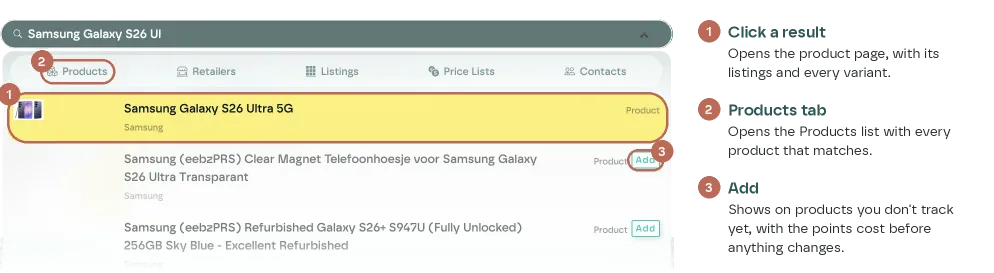
- By name. You don't need the whole name: the start of it is enough, down to part of a word. "Samsung Galaxy S26 Ul" finds the Samsung Galaxy S26 Ultra 5G.
- By GTIN. Type or paste a barcode number to go straight to the product it belongs to.
- By brand. Type a brand name to see its products, together with the search terms and markets you follow for that brand.

Click a product in the results to open it. The product page shows its listings at every retailer in the middle and its variants on the right: each SKU with its colour, storage and other attributes, its GTIN and its MPN.
Find a retailer
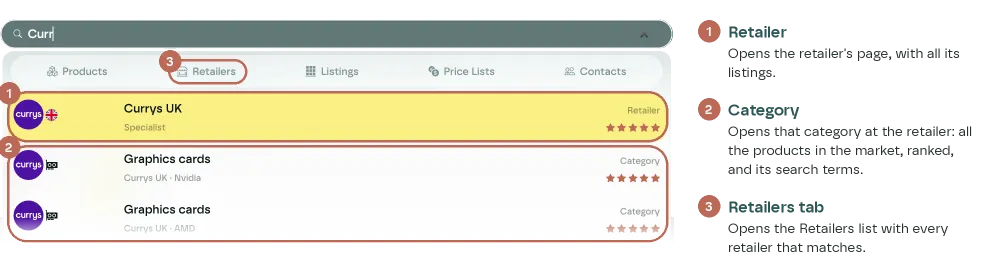
Type the start of a retailer's name, such as "Curr" for Currys UK. The results show the retailer itself and, below it, its categories, markets and search terms. Where you land depends on which you click:
- Retailer opens the retailer's page, with all its listings across every market, plus its markets, stores and Ada.
- Category opens that one category at the retailer, such as Graphics cards at Currys UK: all the products in the market, in rank order, and its search terms.
List everything that matches
To see every product or retailer that matches what you type, rather than just the first few results, click a tab at the top of the results:
- Products lists every matching product. Search "iPhone 17" to see all the iPhone 17 products, or a model name to see every version of it at once.
- Retailers lists every matching retailer. Search "MediaMarkt" to see every MediaMarkt retailer, together with others in the same group, such as Saturn.
- Listings, Price Lists and Contacts do the same for those pages.
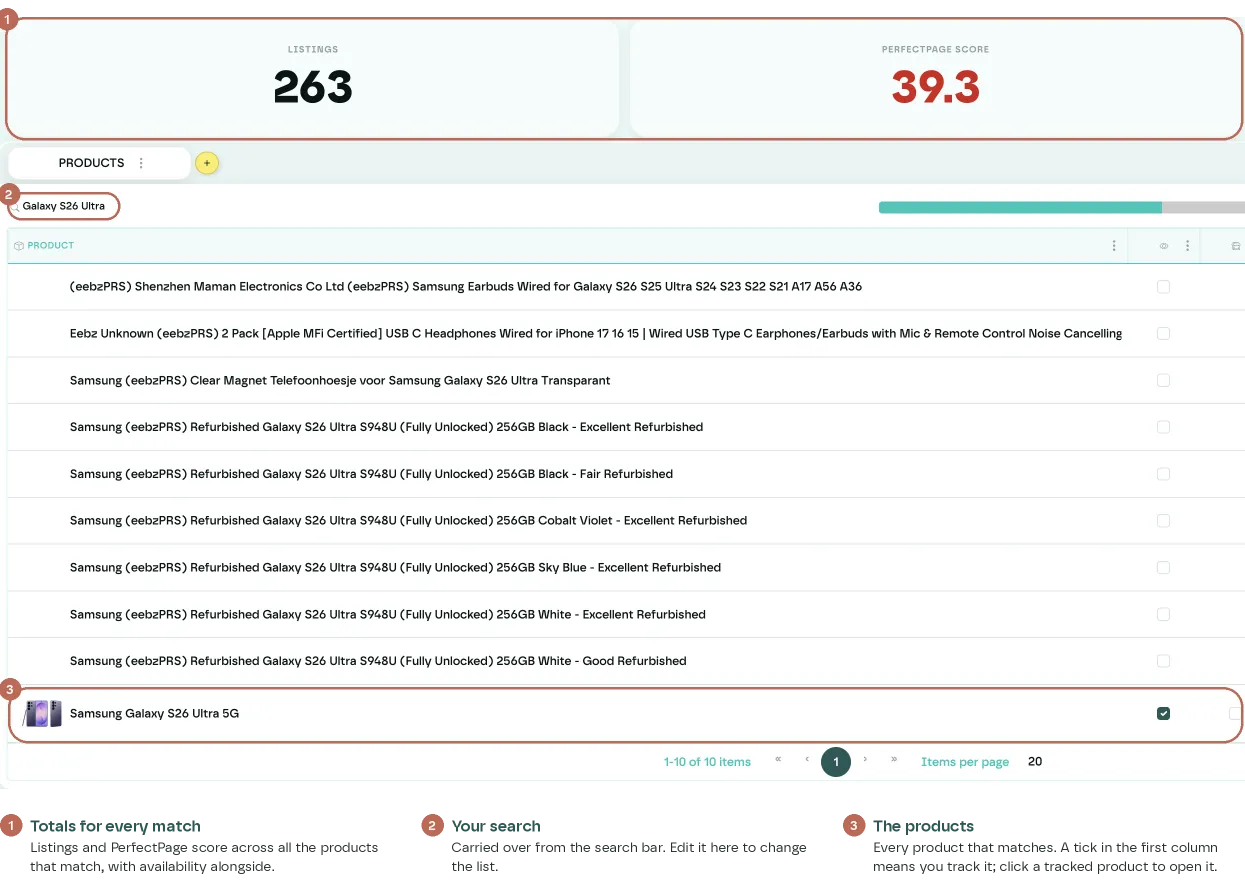
The tiles at the top of the list sum up everything that matches: the number of listings, the PerfectPage score and availability. Your search stays in the box above the table, so you can change it there without going back to the search bar.
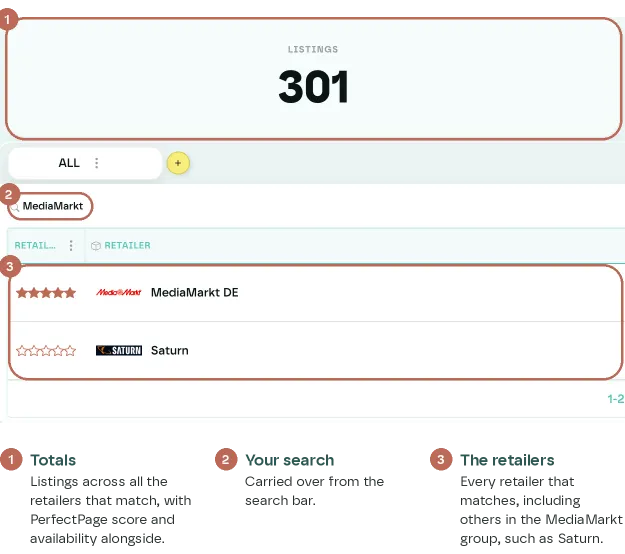
The list matches your text anywhere in the name, so it can include products made for the ones you want, such as cases or chargers "for Samsung". Type more of the name to narrow it down, or add filters to the list.
Read the results
Each result is labelled on the right with what it is: Product, Retailer, Category, Market or Search Term. The line under the name says where it belongs, for example the retailer and market of a search term. Stars show the retailer's importance rating.
Use the arrow keys to move through the results and Enter to open one, or click it. Escape closes the results.
Products you don't track yet
Search also finds products that Eebz knows about but your organisation doesn't track yet. These show an Add button next to the result. Clicking Add shows what tracking the product costs in points before anything changes.
Last updated October 2026